Less operations.
More translation(s).
Connect your email and never miss an order, an update or a payment. ORTRA keeps the operations — you keep translating.
Currently supports only Gmail
Demo account
Catch every order & update.
Review incoming requests, PO changes, and agency replies as they arrive. Take action in one click — nothing slips through.
Protect your schedule.
See what is due today and what fits tomorrow. Track active jobs, client rates, and earnings right from your browser.
Run it with Ortra.
Ask your operations agent to reply, analyze or check your numbers. Always with your final approval.
Powered by

- G24.8
- Clutch4.8
- Trustpilot4.2
One order, start to finish.
From the first email to the payment — real ORTRA screens from the demo, with fictional mail.

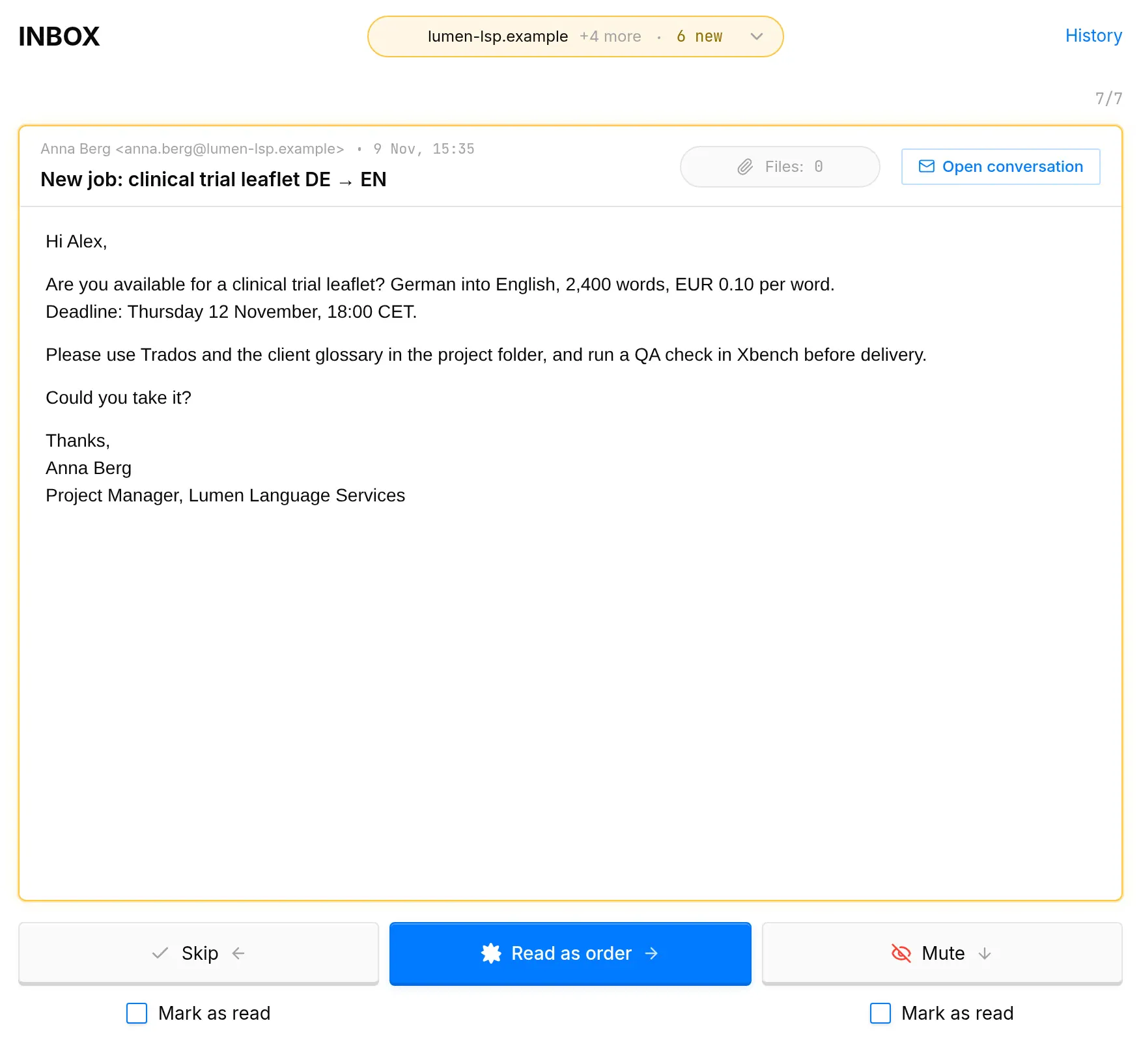
IThe order arrives9 Nov, 15:35
Anna's email
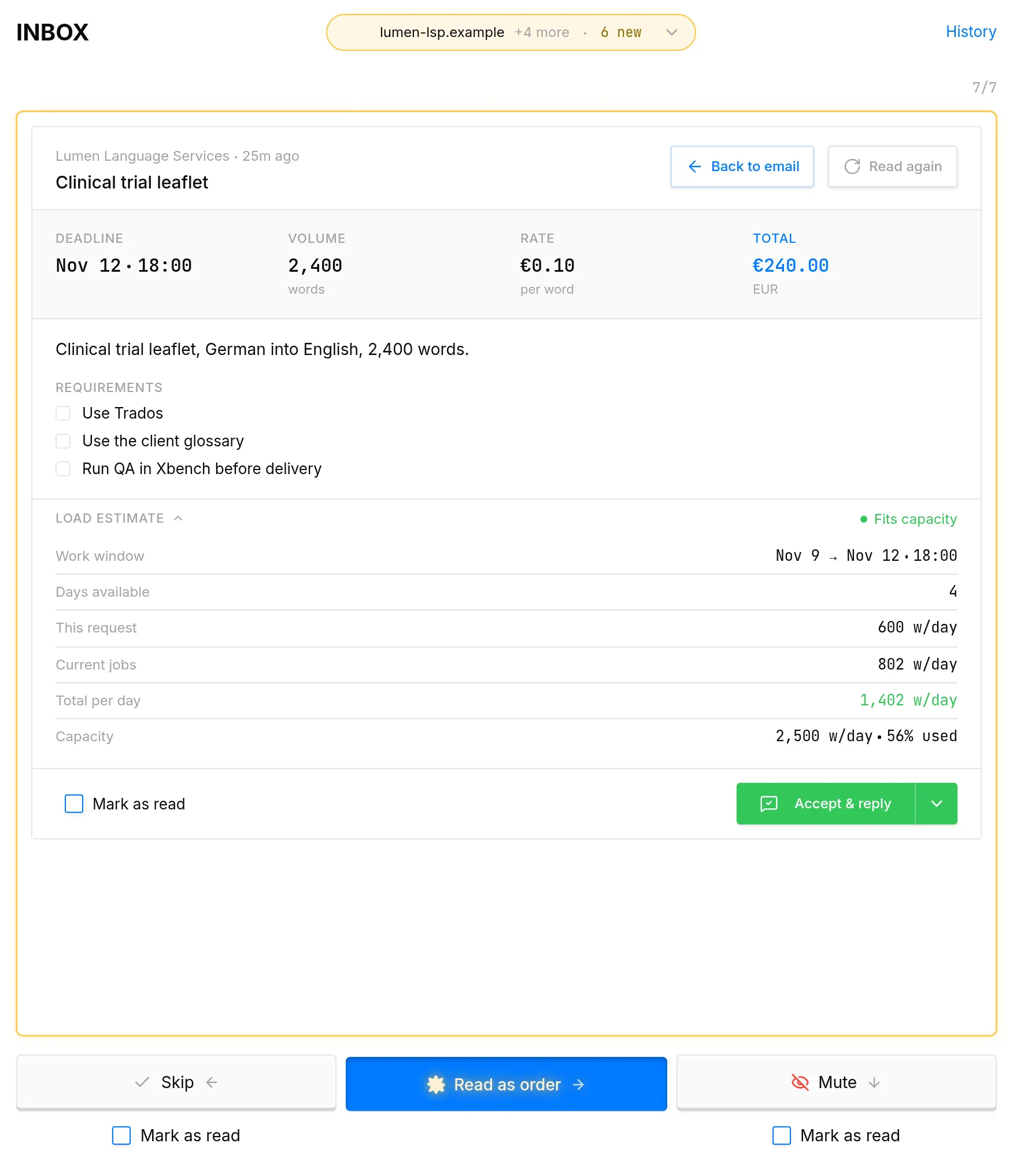
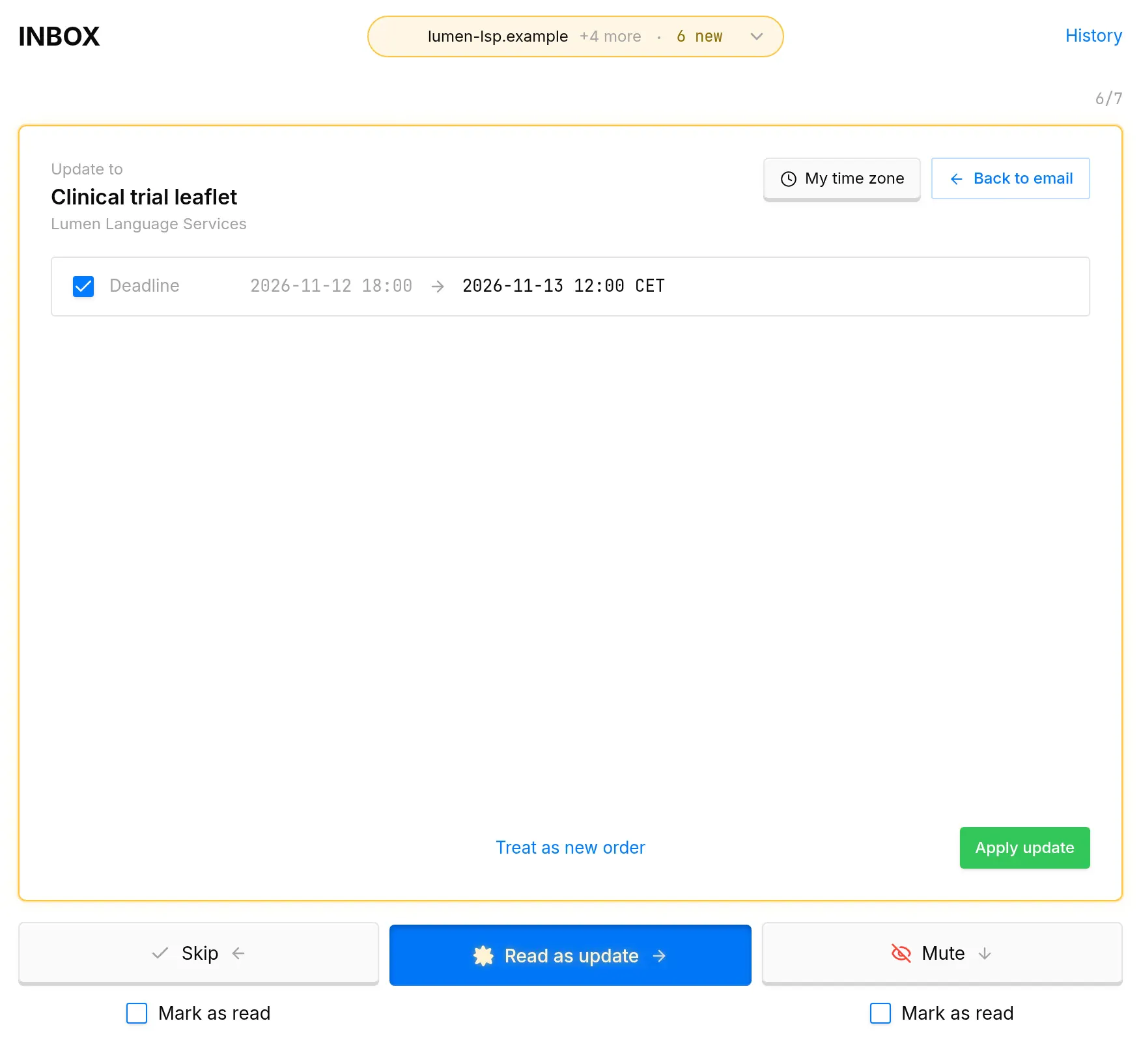
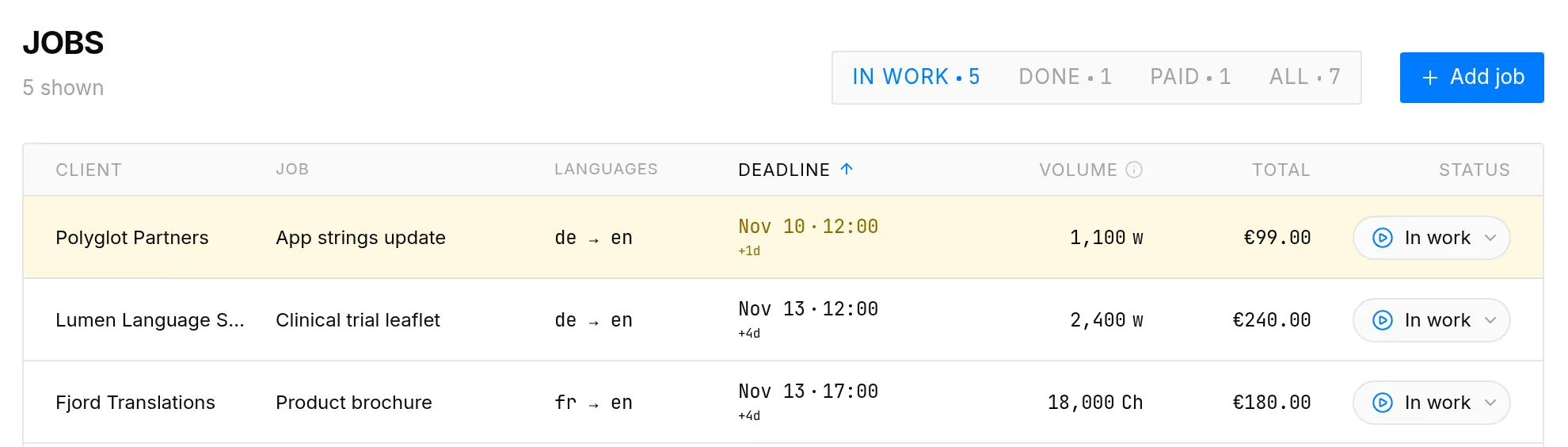
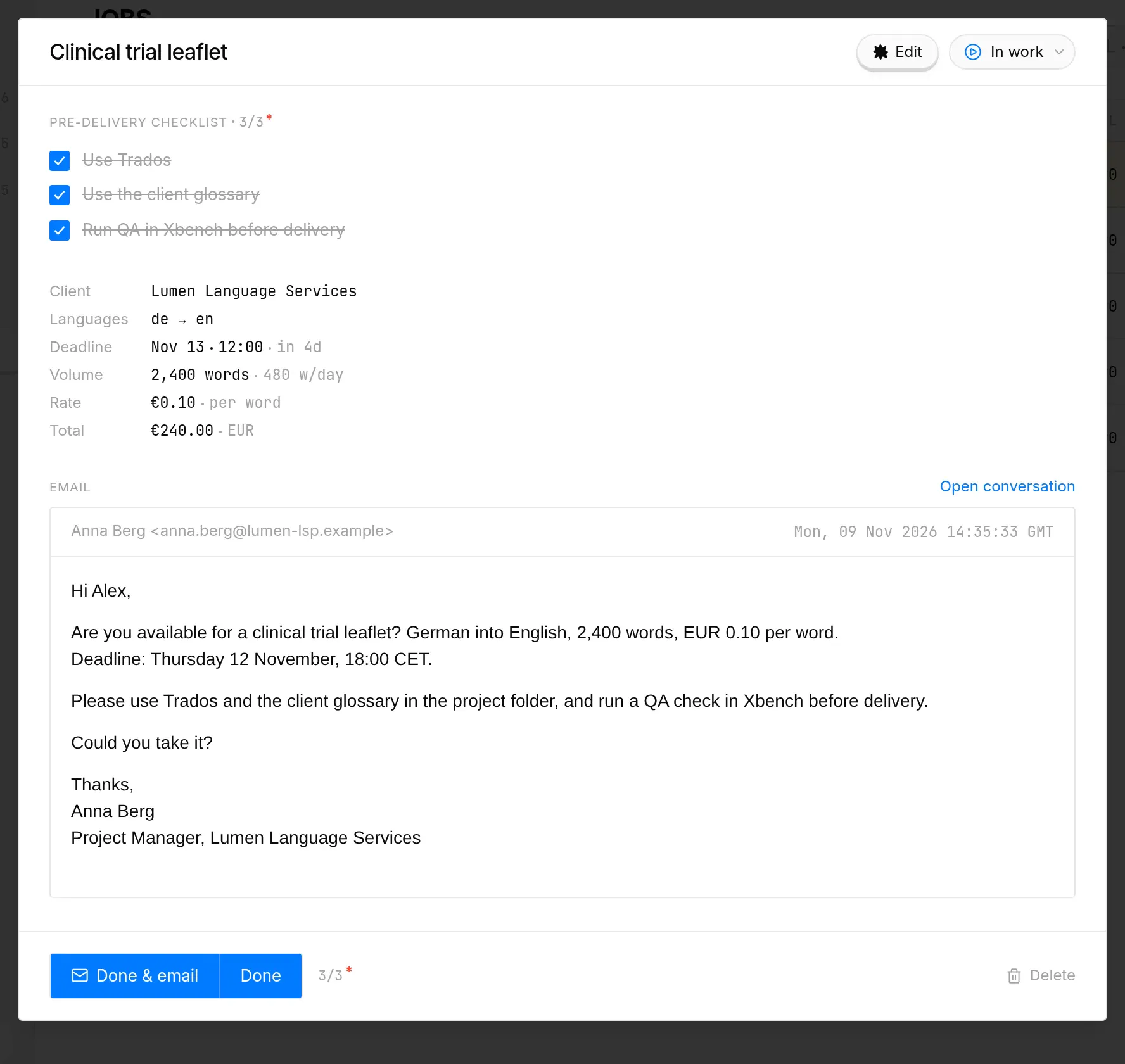
Anna from Lumen Language Services asks if you can take a clinical trial leaflet. Inbox shows you one email at a time.
- Deadline
- Volume
- Rate
- Requirements

Ask. It does the clicking.
The same order, handled from one message: ortra chat checks your schedule, changes the job and writes to Anna.
Does that still fit my schedule? If it does, change the deadline and reply to Anna that Friday works.
- Reads your jobs, settings and today's plan
- Proposes the change: 2026-11-12 18:00 → 2026-11-13 12:00
- Waits for Approve or Decline
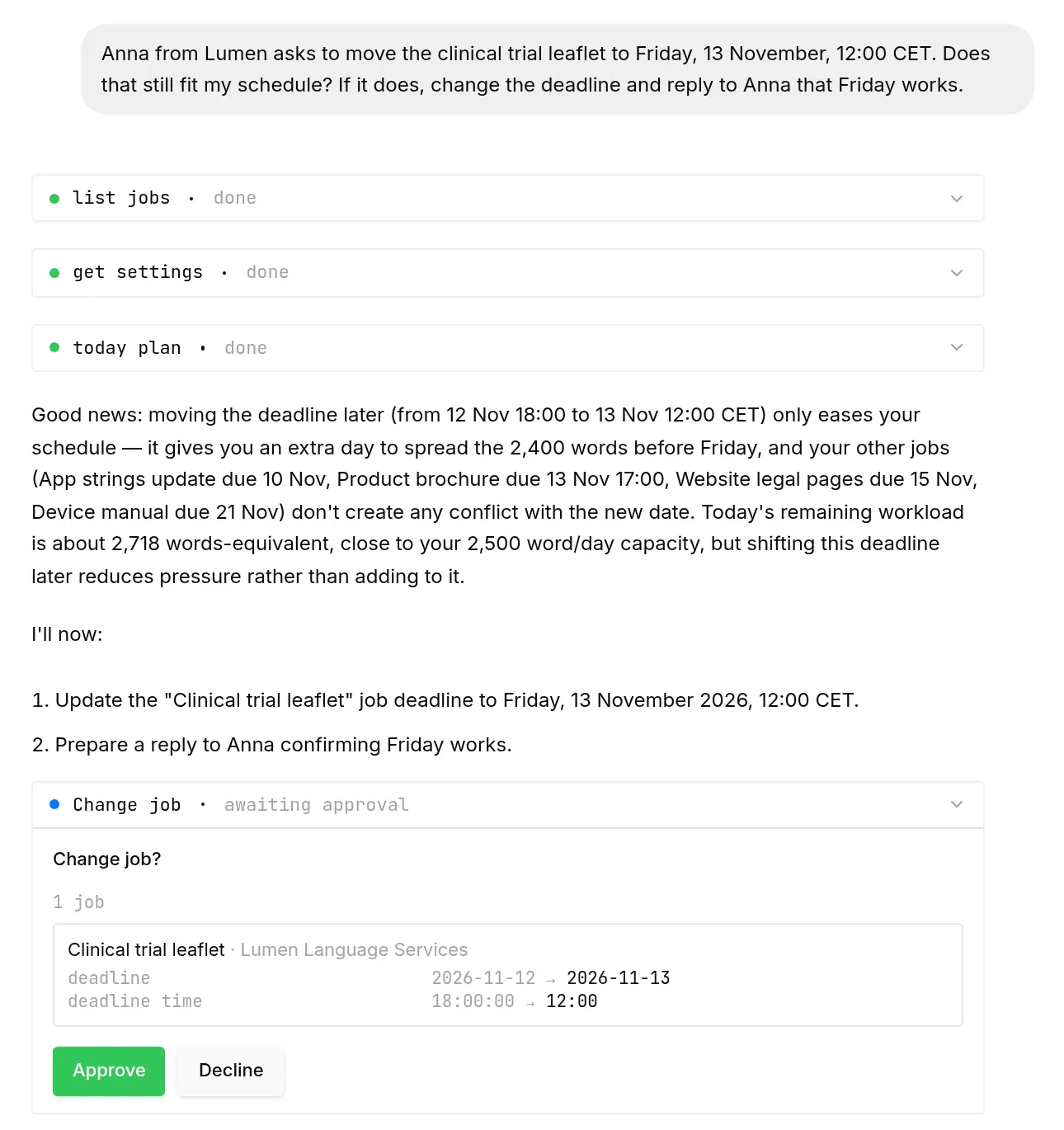
Approve — and it's done
The job now carries Friday's deadline, and the chat moves on to the reply.

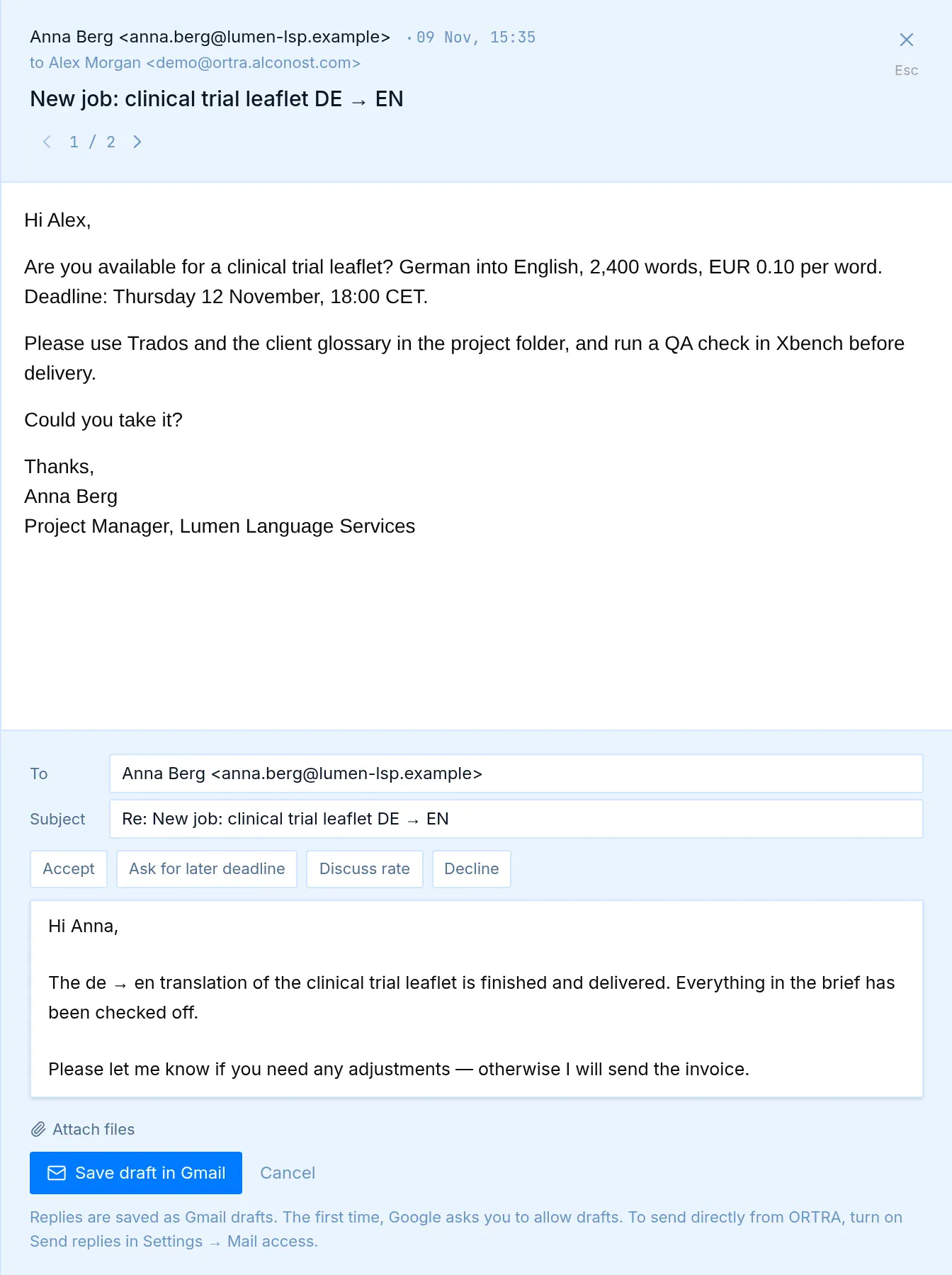
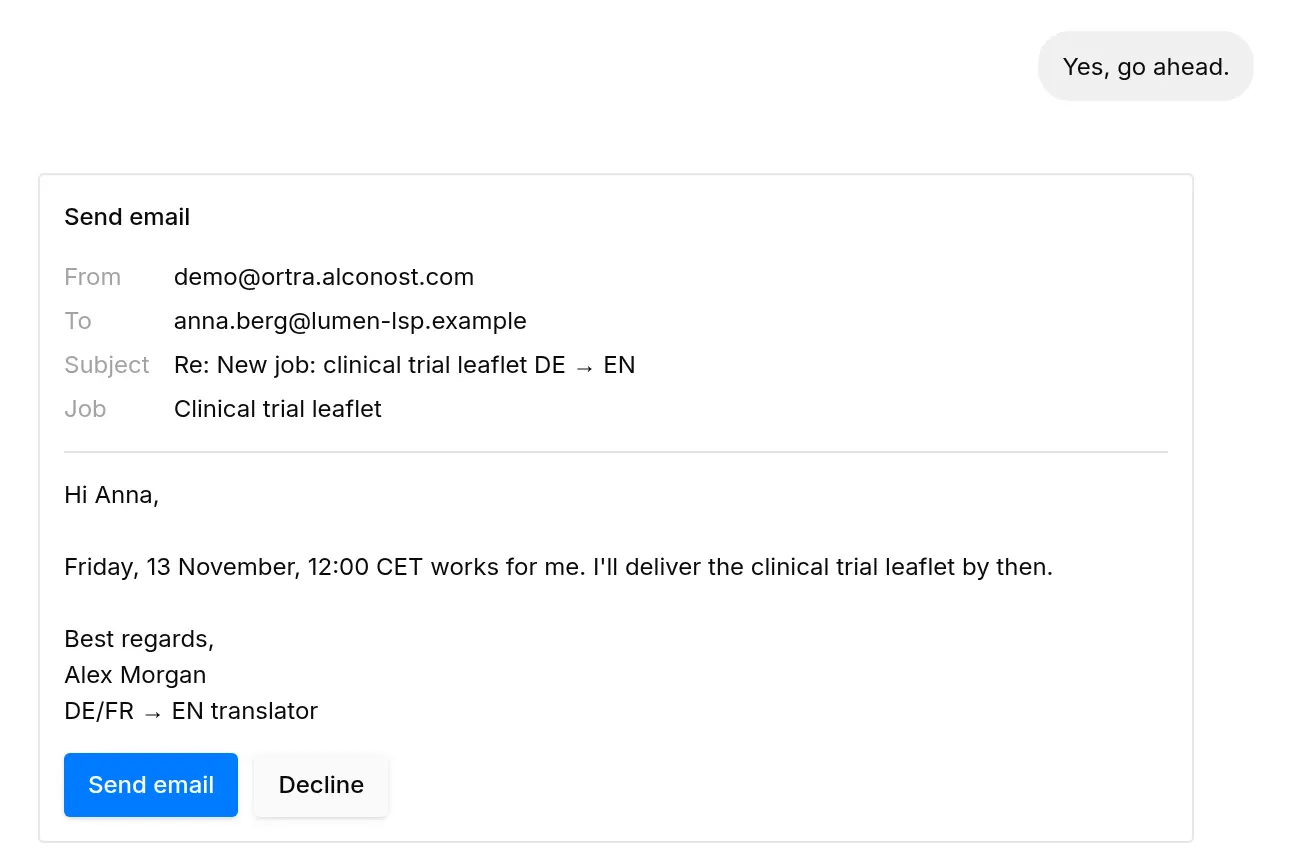
The email, word for word
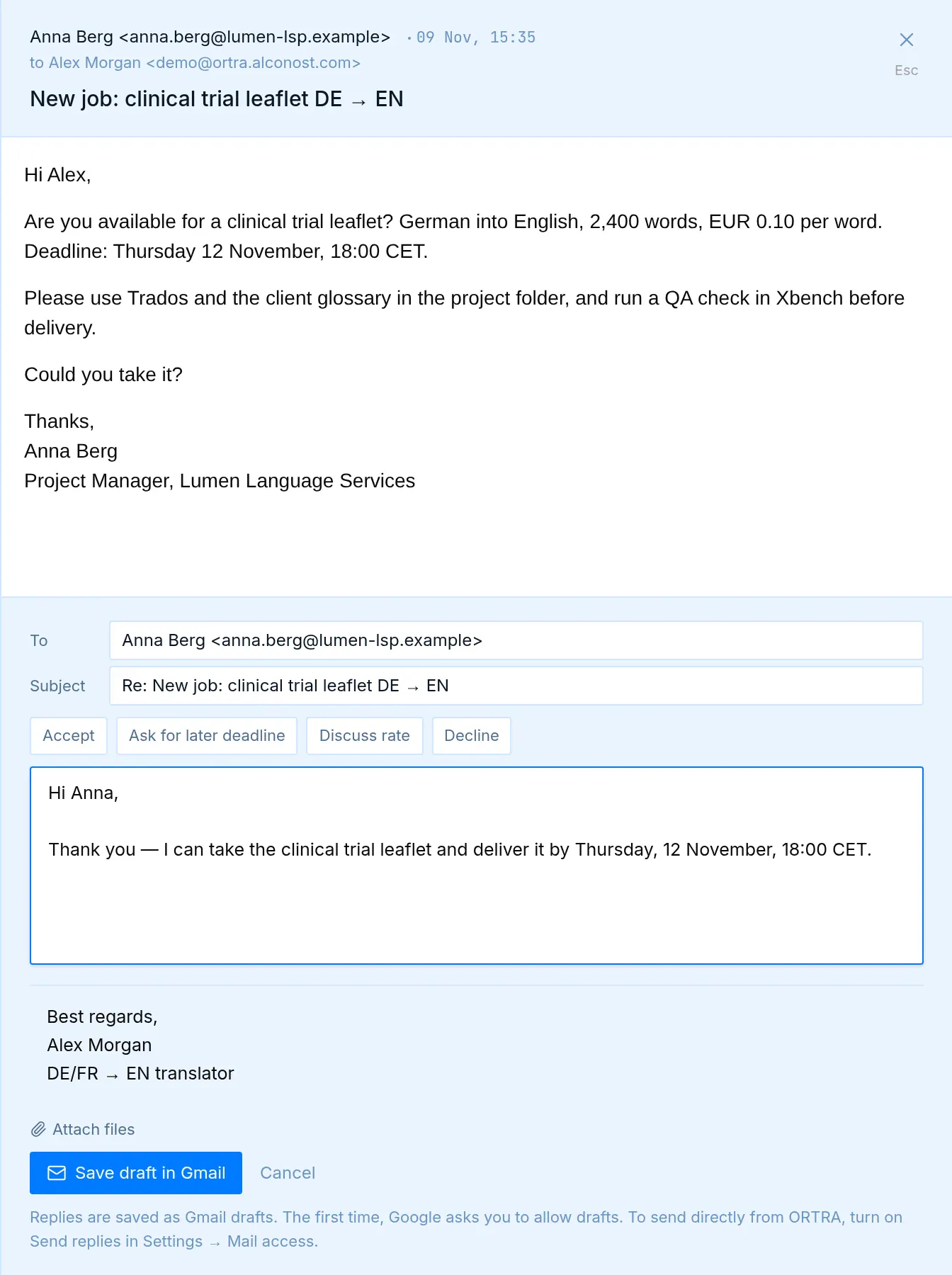
Before anything is sent, you see exactly what Anna will get.
- From your mailbox, in Anna's thread, linked to the job
- Your signature
- Send email or Decline
Changes your jobs
Deadline, volume, rate, status, checklist — in one job or in many with one approval.
Adds jobs
From a message, or a whole file of jobs at once.
Writes to clients
In the job's thread, with your signature. Sends, or saves a Gmail draft — as you allow in Mail.
Asks first
Nothing changes and nothing leaves without your Approve.
Mail & Privacy
- 01
Read-only by default.
ORTRA asks Google to read your mail and nothing else.
Drafts, sending and marking mail as read are separate permissions. Each stays off until you turn it on in Mail settings.
src/lib/gmail.server.ts // Always requested scopes = [ "https://www.googleapis.com/auth/userinfo.email", "https://www.googleapis.com/auth/userinfo.profile", "https://www.googleapis.com/auth/gmail.readonly", ] // Only if you turn them on "https://www.googleapis.com/auth/gmail.compose" // drafts "https://www.googleapis.com/auth/gmail.send" // sending "https://www.googleapis.com/auth/gmail.modify" // mark as read - 02
The AI reads an email only when you ask.
ORTRA lists your new mail and shows you one email at a time. Nothing goes to the AI until you press:
Read as orderGmail API requests // New mail since your start date GET /users/me/messages?labelIds=INBOX&q=after:{start} // Sender and subject for the list GET /users/me/messages/{id}?format=metadata // The whole email — only the one you open GET /users/me/messages/{id}?format=full - 03
Email text is never saved.
ORTRA fetches an email each time you open it and keeps nothing of its text.
The database keeps your decision and the order facts the AI found — not the email.
What ORTRA saves // Skip or Mute inbox_decisions ← { decision, sender, subject } // Read as order incoming_requests ← { subject, source_sender, deadline, deadline_time, volume_amount, volume_unit, rate_per_word, fixed_total, currency, source_lang, target_lang, spec_summary, spec_checklist // short brief }
Not Android. Not iOS.
It's web.
Run your jobs from your pocket.
ORTRA opens in your phone's browser — nothing to install. Inbox, Today, Jobs and the chat, with the same jobs as on your computer.
- ortra.alconost.com
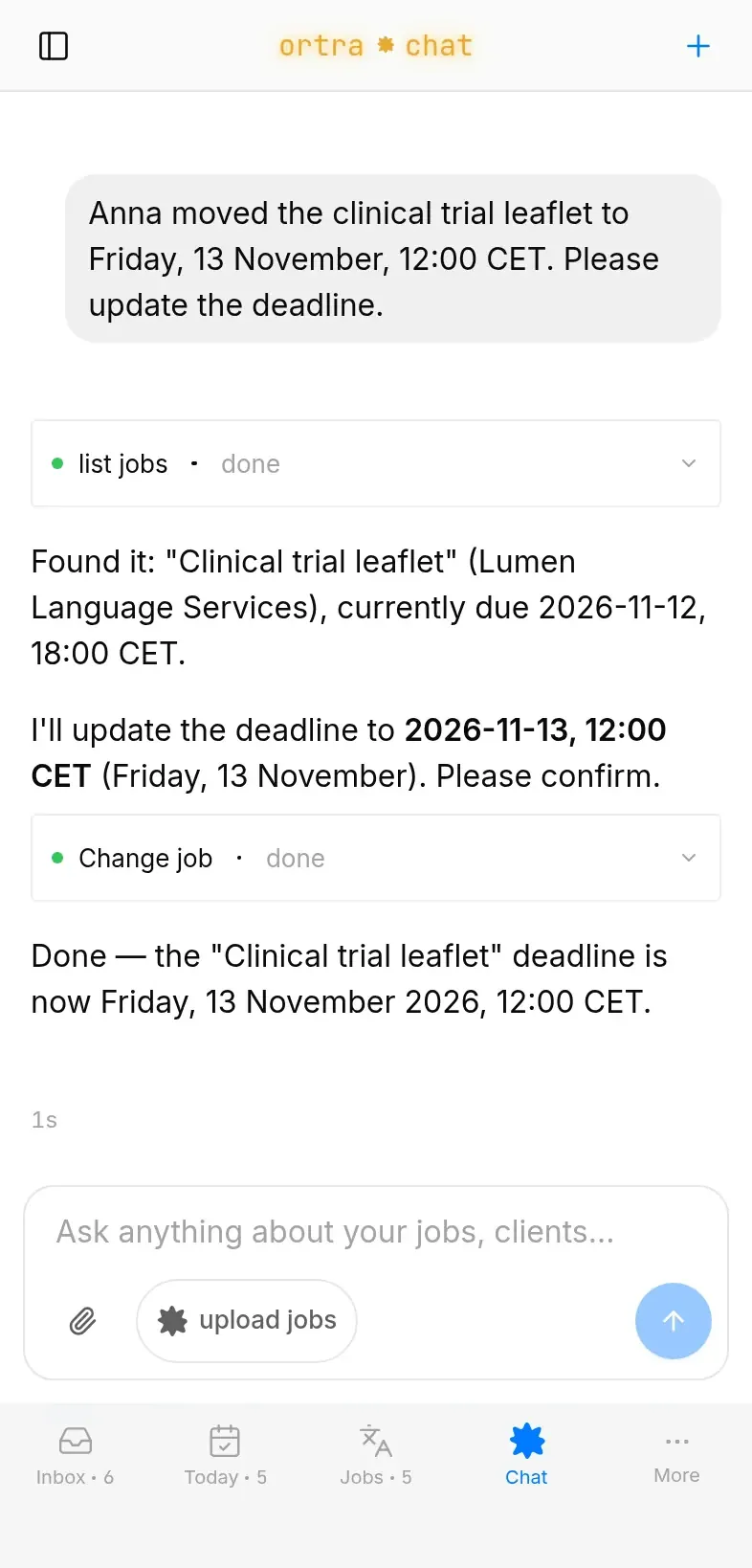
Chat
One message — the deadline is changed.
- ortra.alconost.com
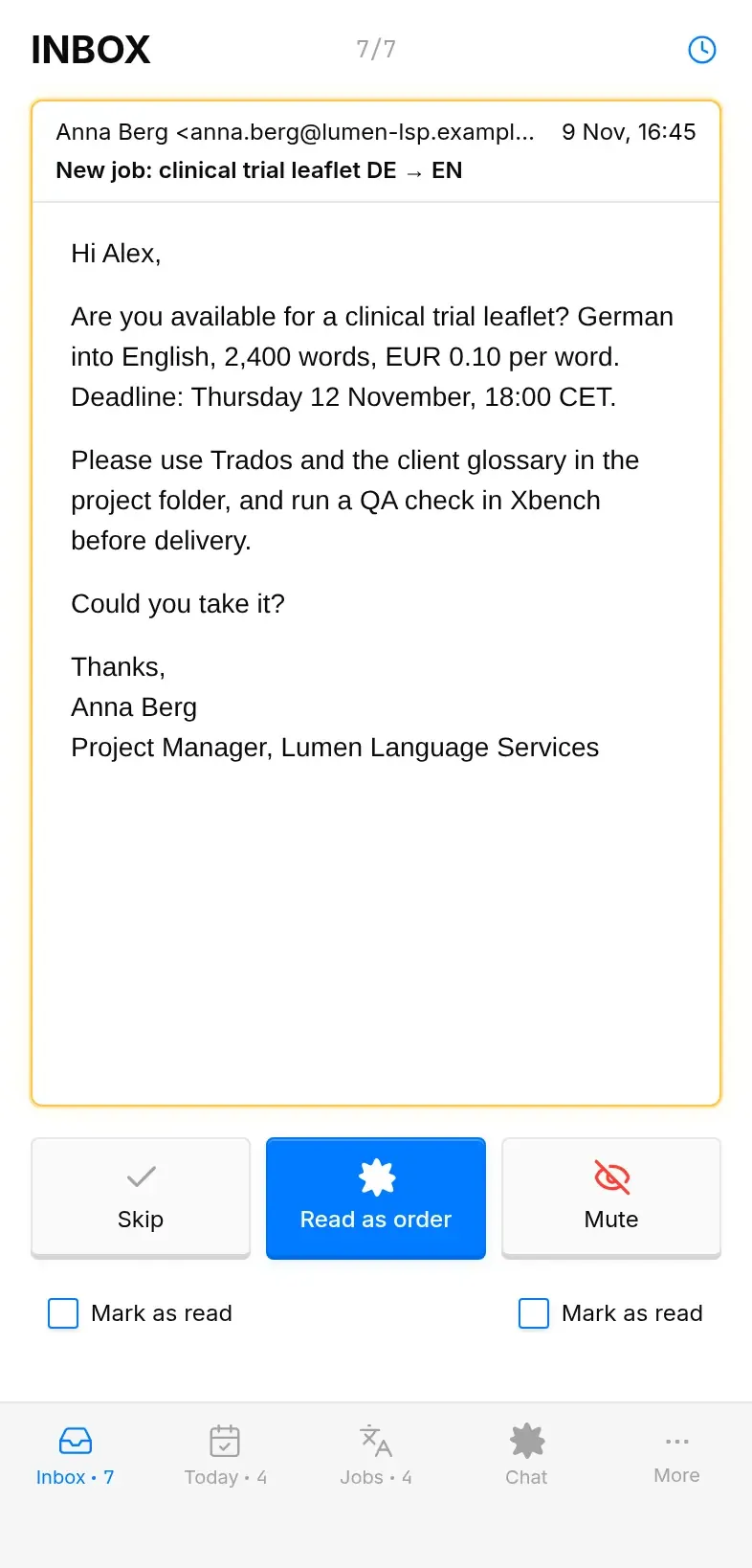
Inbox
Anna's email, ready to read as an order.
- ortra.alconost.com
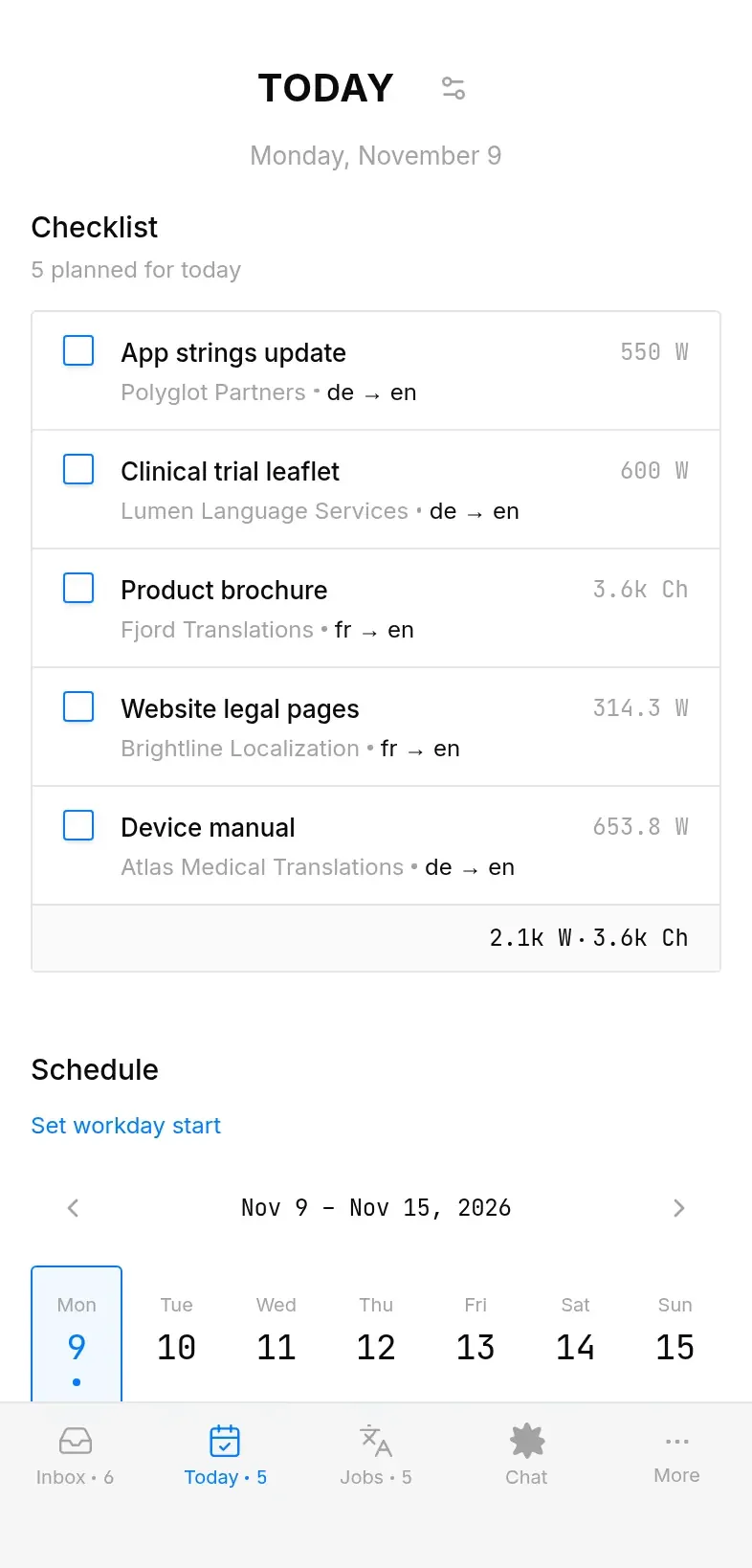
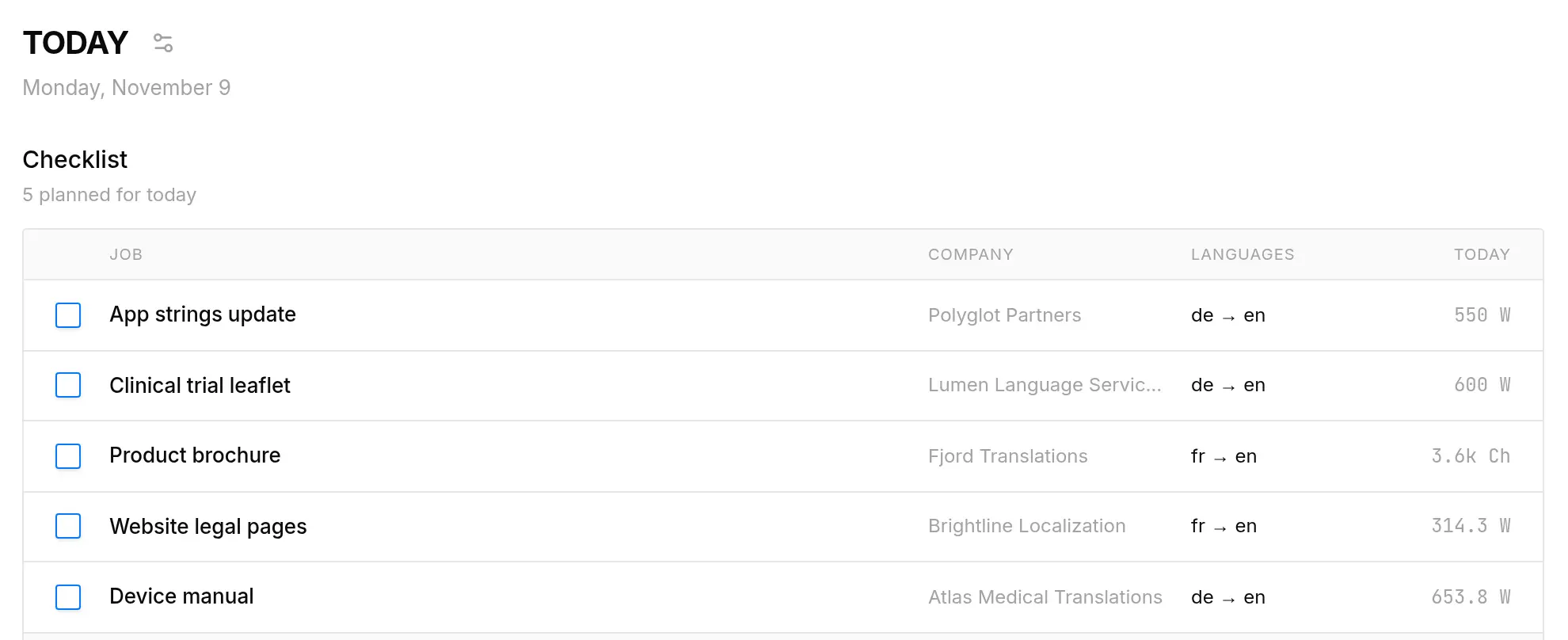
Today
The leaflet on today's checklist.
Less operations.
More translation(s).
Take the load off. Hand the mail checks, deadlines and replies to automations and an AI agent — you approve, they do the clicking. You won't regret it.
Currently supports only Gmail
Demo account